![[LINUX] Cleaning up a full boot partition](https://zoliben.com/wp-content/uploads/2018/12/72d1f12edf758d24f5b6db73bac4f297-linux-logo-by-vexels.png "Cover Image")
Rarely, but it can happen that the /boot partition fills up on Linux machines, in which case it’s worth deleting the old kernels, but this isn’t always straightforward.
You can check the disk usage with the following command:
df -h
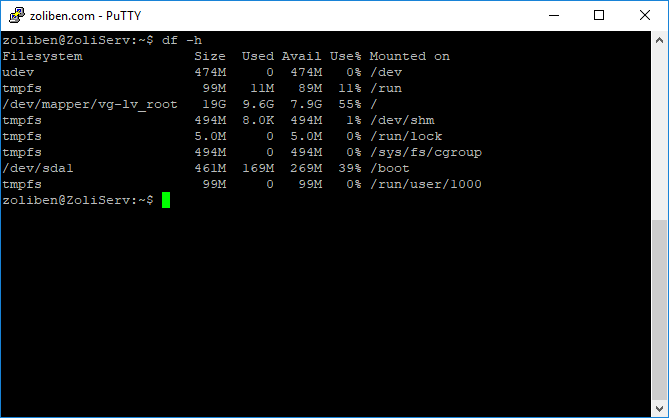
The image shows the state after cleaning, so the /boot partition is now only at 39% usage
In this case, apt-get upgrade gets interrupted during the kernel update, since there’s no more space on the partition. This constantly throws errors, and there are cases (like mine) where updates can’t run at all anymore because previous ones have failed.