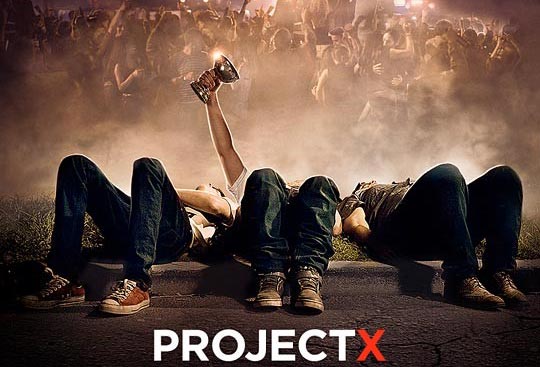
Cinema City once had a program where you had to write an explanatory letter to your parents, imagining yourself in the shoes of the party organizers. Here’s mine, with which I won 5 tickets to the premiere: 🙂
„Hi Dad!
Something I need to tell you. There was a little accident, but don't worry! Remember when I told you I wanted to throw together a little house party for my birthday? Well, I did…
I created a Facebook page for the party, where we discussed with friends who would bring what to the party, and stuff like that. Everything was going fine up to that point, but it seems I forgot to log out of Facebook on one of the computers at school, and some jerk made the event public as a prank. And you know my friends… they invited all their friends to the event. By the time I noticed, 200 people had already indicated on the page that they'd be at the party. I wrote that the party was cancelled, but they completely ignored it, so I deleted the event and forgot about it.
On my birthday, me and my friends got together, had fun, had a good time.
Around 9 PM, a few people showed up asking „is the überparty happening here?” Believe me, I tried to send them away, but more and more people kept coming, and they cared less and less about what I was saying. When there were about 50 of them, some lunatic yelled out „LET THE PARTY BEGIN!” I still can't believe it, but somehow a few speakers appeared, and more drinks than I've ever seen in my life. You know me, you know how responsible I am! I tried to sort this out for a while, I even cut the power, but they had generators, plus they made a deal with the neighbor to give them electricity.
Eventually it got to the point where I called the police, two patrol cars came out, but they didn't want to intervene, in fact, they started partying too! (As it turned out later, one of the police officers' kids had invited the entire police station to the party!) By then I really felt that something completely inexplicable was going to come of this. When I went inside the house to think about what I could do, they followed me in, raided the fridge and made themselves at home, but don't worry, they didn't break anything, everything is fine inside the house.
Uhh, the car, yes… Let me explain! So, the music was really loud, which I guess attracted the local criminals. So while I was busy trying to keep order, a few sleazy guys climbed over the fence and tried to steal your car. Right in front of our eyes!!! (today's criminals have no shred of decency!) When I noticed this, I ran out with a few partygoers by my side, holding mom's pepper spray, and I sprayed the jerk sitting at the wheel in the face. Instead of getting out, he floored the gas pedal while blinded, nearly running over 20 people. Fortunately, a song had just ended, so they heard my shout, and nobody got hurt (I hope you're proud of me for keeping my cool!) As the jerk drove off blindly, he was heading straight for the pool, and managed to drive the car right into it. I know, I know, I know, calm down! The car wasn't damaged at all! Good thing there was a tow truck driver at the party, so we quickly pulled the car out of the pool before any water could get inside. Not a single scratch on it! (the jerks were eventually arrested by the two patrols, thank god at least they did something about that)
After that I was completely devastated, I tried to call you, but the phones weren't working, at least there was no signal, probably the magnetic field from the speakers was interfering with them. I didn't notice, but some partygoers started barbecuing in the garden, and I guess they couldn't light the charcoal, so they must have poured some flammable liquid on it, thereby setting fire to the charcoal and the tree next to it. I immediately called the fire department when I saw this, but by the time they arrived, the fire had already spread to the house. The sirens scared the partygoers, so they scattered in moments, leaving nothing behind but trash. The fire was quickly put out, although the roof isn't quite the same anymore. No worries, I looked into it, the insurance will pay for it, besides, I heard you and mom talking about needing to renovate the house because the termites had eaten through the beams.
The rest of the party mess, me and my friends have already cleaned up, everything is fine! I know it sounds unbelievable, but believe me, I really didn't want this! Next time I'll plan the party much more carefully, and not at home.
It's incredible how irresponsible some people can be…”